Direct Answer: What Does Website UI/UX Design Solve for a Small Business?
Website UI/UX design for small business solves the gap between getting traffic and getting enquiries. When visitors land on your page and leave within ten seconds without calling or filling out your form, the problem is almost always unclear page hierarchy, vague headlines, buried proof, or awkward mobile navigation. I map out your buyer journey, structure the copy flow, and design clean, interactive mobile and desktop layouts in Figma before code is written. You can hire me for standalone Figma UI/UX wireframes and design systems for your internal developers, or pair UI/UX directly with a complete custom WordPress build handled end-to-end by one person.
Why Pretty Websites Often Fail to Convert Visitors Into Leads
A lot of web designers treat a business website like an art poster. They use low-contrast grey text on dark backgrounds, hide navigation behind clever icons, write abstract three-word slogans in the hero section, and design exclusively on a 27-inch studio monitor.
Real customers behave very differently. A facility manager comparing solar installers on a phone during lunch or a SaaS founder vetting B2B vendors between meetings scans in a fast F-pattern. Within five seconds they ask three blunt questions: What exact problem do you solve? Have you done this for companies like mine? What happens if I click this button?
If your interface makes them hunt through five dropdown menus or pinch-zoom a desktop table to find those answers, they hit the back button and call the next search result. Effective UI UX design services remove friction first and apply visual polish second.
Why Working With One Designer-Developer Prevents Handoff Headaches
When you hire a standalone graphic designer who has never written CSS or PHP, you frequently get a Figma file that looks nice as a flat picture but falls apart in a real browser. Headlines overflow when a client edits a sentence, decorative background blurs tank mobile frame rates, and responsive breakpoints between tablets and narrow phones are missing completely.
With 8+ years designing interfaces and building them in HTML5, CSS3, Bootstrap, Tailwind CSS, GSAP, and WordPress, I design every Figma component knowing how the DOM, flexbox/grid math, and Core Web Vitals actually behave.
Information Architecture and Multi-Audience Routing
Many businesses sell to more than one buyer type, for instance homeowners vs. commercial contractors, or UK small businesses vs. enterprise teams. On a B2B website UX redesign, I separate conflicting buyer intents early on the homepage so each audience reaches tailored proof, specs, and FAQs in one click.
Figma Website Wireframe Design Before Visual Styling
Jumping straight into colors and stock photos wastes revision rounds. During Figma website wireframe design, we lock down section order, headline hierarchy, comparison tables, trust proof placement, and form fields first. Once the argument of the page makes total sense in grayscale, applying brand colors and typography goes twice as fast.
Landing Page UX Design Built Around One Clear Action
Paid search and outbound campaigns fail when traffic lands on a cluttered homepage with twelve competing links. My landing page UX design strips out header distractions, pairs claims directly next to case study numbers, answers top timeline and scope objections inline, and keeps a single clear enquiry form or click-to-call step in focus.
UI/UX Design Scopes, Timelines, and Deliverables
Hire me for standalone Figma UI/UX deliverables to hand over to your internal engineering team, or combine UI/UX and WordPress development into one unified workflow.
| UI/UX Engagement | Ideal Scenario | Timeline | What You Receive |
|---|---|---|---|
| UX & Conversion Audit | Existing website gets traffic but very few calls or form leads | 3 to 4 business days | Page-by-page video teardown, mobile usability & speed review, prioritized wireframe fix list for hero, navigation, proof, and enquiry forms. |
| Single Landing Page UI/UX | Campaign page or core service page (Figma or full WordPress build) | 5 to 7 business days | Desktop + 375px mobile responsive layouts, clean copy hierarchy, CTA & form states, delivered as organized Figma file or live coded landing page. |
| Multi-Page Website Figma Kit | Startups, SaaS, or B2B teams needing Figma specs before development | 1 to 2 weeks | 5–8 key page templates (desktop + mobile), reusable Figma auto-layout components, color/type tokens, hover & form validation states. |
| End-to-End UI/UX + WordPress Build | Complete custom design + fast Gutenberg code by one person | 2 to 3 weeks | Wireframes, full visual UI design, custom WordPress development, on-page SEO & schema, SMTP forms, and 60 days post-launch support. |
What Is Included vs. What Is Not Included in UI/UX Scopes
Clear boundaries prevent scope surprises halfway through a build. Here is the exact breakdown before work begins:
Included in Your Scope
- Buyer journey mapping and section-by-section wireframe architecture tailored to your actual sales process.
- True mobile-first layouts (375px–430px phone viewports) alongside full 1440px desktop artboards, never desktop-only mockups.
- Reusable Figma style guide covering font scales, button hierarchy, spacing rules, form error states, and WCAG AA color contrast.
- Interactive clickable Figma prototype links so you and your stakeholders can test the flow in a browser before coding.
- Up to two structured revision rounds with Loom video walkthroughs explaining every layout decision.
- Full ownership and transfer of editable source Figma files upon completion.
Not Included (Honest Boundaries)
- Complex native iOS/Android mobile app back-end engineering (my build focus is web interfaces, landing pages, and WordPress/PHP systems).
- External user-testing panel recruitment fees if enterprise third-party focus groups are requested.
- Custom 3D character animation or studio commercial video shoots.
- Front-end coding if you book a Figma-only scope (though you can pair or upgrade to full WordPress development at any stage).
How Our UI/UX Design Process Works Step by Step
Audience & Friction Review
We review your current site analytics or customer questions, identify where buyers hesitate, and list the exact actions each page needs to drive.
Low-Fidelity Wireframes
I map out headline order, comparison tables, proof blocks, and navigation paths in Figma so we align on content structure before styling.
High-Fidelity Desktop & Mobile UI
I apply typography, brand colors, spacing rhythm, and realistic content across both desktop and mobile screens with an interactive preview link.
Clean Figma Specs or Direct Code
Either I hand over organized auto-layout Figma files to your engineers, or I build the exact approved design directly into fast WordPress code.
UI/UX Improvements Backed by Real Client Outcomes
Here is what happened when confusing page structures were replaced with clear, audience-specific user journeys:
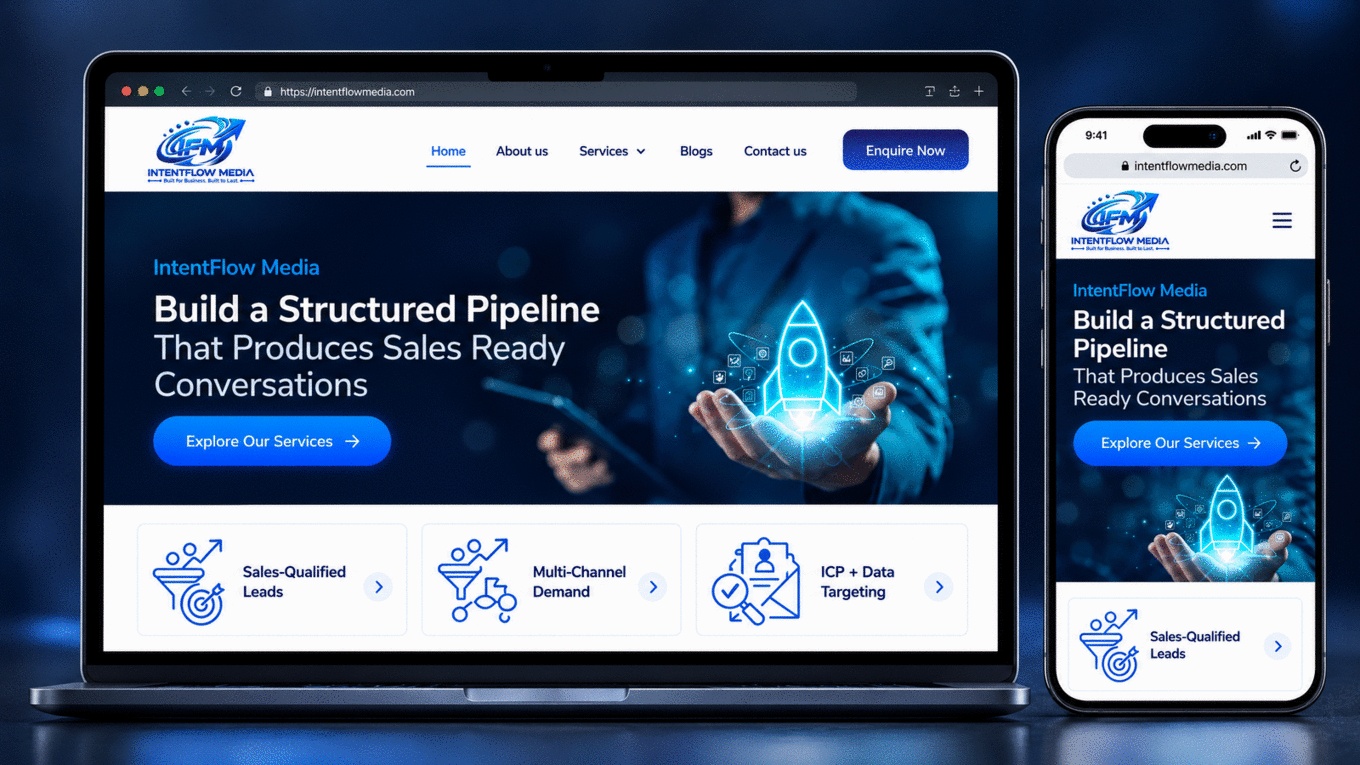
IntentFlow Media
Replaced buzzword-heavy drafts with three clear B2B service pillars and scannable dark-mode cards. Average time on site jumped from 42 seconds to 2m 18s.

TechHub Insight
Redesigned mobile typography, category archives, and fixed-aspect ad slots to hit 0.01 CLS, increasing pages per session by 40% and cutting search bounce rate by 32%.
Asynchronous Figma Collaboration Across USA, UK, UAE, and India
UI/UX projects run smoothly across time zones because Figma works live in any browser. Clients in the USA, UK, UAE, and India can click directly on any headline, card, or mobile screen to drop a comment, watch my 5-minute Loom walkthrough explaining the layout rationale, or hop on a scheduled Google Meet review.
If your goal is a complete site overhaul rather than standalone mockups, see how UI/UX pairs with my WordPress website design and development service, or explore regional redesign guides for the USA, UK, and UAE B2B & industrial businesses.
Built and Supported Personally by Swapnil Patil
I run Swap Design remotely from India and handle every call, Figma wireframe, WordPress template, and care-plan update myself. You never get passed to an account manager or junior subcontractor.
Read more about how I work →Frequently Asked Questions About UI / UX Design
Direct answers to the scope, timeline, ownership, and technical questions clients ask most on first calls: