Direct Answer: What Is a WordPress Care Plan and What Is Included?
A WordPress care plan is an ongoing monthly maintenance service that keeps your website secure, fast, and working properly without risking live downtime. Every week, I test WordPress core, theme, and plugin updates on a private staging copy before syncing them to your live server. Every maintenance tier includes automated daily offsite cloud backups, 24/7 uptime monitoring with 60-second checks, security and malware scanning, database cleanup, monthly live contact form email tests, and reserved developer time for text, image, or layout fixes. Plans run month-to-month with zero annual lock-in contracts, and every task is handled personally by Swapnil Patil.
Why Untested WordPress Updates Break Live Business Websites
WordPress powers over 40% of the web, which means plugin authors and core contributors release security patches almost every week. Leaving a business site untouched for six months leaves known plugin vulnerabilities open to automated bots that inject spam links or redirect mobile visitors.
Clicking "Update All" inside your live WordPress dashboard is just as risky for a different reason. A WooCommerce extension update can clash with your PHP version or payment gateway script, turning your checkout page blank on a Friday afternoon. Even worse are silent failures: an update resets your form plugin mail headers, the page still shows a green thank-you message to visitors, and three weeks of customer leads vanish before anyone notices the inbox went quiet.
A structured WordPress website maintenance service removes both risks. Updates happen on schedule, vulnerabilities get closed within days, and every change is tested away from your customers first.
My 4-Step Staged WordPress Plugin Update Service
Many hosting companies advertise automatic WordPress updates, but all they run is a blind background script on your live files. If a CSS stylesheet breaks or a form script throws a JavaScript error, the host never looks at your pages. Here is how I run my weekly WordPress plugin update service across client sites:
1. Offsite Snapshot Before Touching Any File
Before a single plugin or PHP package changes, I verify a fresh database and file backup stored in isolated cloud storage outside your web hosting cPanel. If anything ever needs rolling back, a clean restore point from ten minutes ago is ready.
2. Updates Applied on a Private Staging Clone
I apply WordPress core updates first, followed by theme files and individual plugins, on a password-protected staging copy that mirrors your live server PHP version and caching configuration.
3. Visual, Checkout, and Contact Form Verification
I check key templates (homepage, top service pages, mobile navigation, cart/checkout if running WooCommerce) and verify there are no PHP fatal errors in the server log or broken scripts in the browser console. Once a month, I also submit a real test enquiry through your live contact form to confirm authenticated SMTP delivery reaches your inbox.
4. WordPress Speed Optimization Service and Database Pruning
Over months of editing, WordPress databases collect thousands of expired transients, post revisions, and spam rows that drag down Time to First Byte (TTFB). As part of ongoing care, I prune database overhead, check WebP image compression, and monitor Core Web Vitals so heavy builders like Elementor or WooCommerce stay responsive.
Website Maintenance Care Tiers and Monthly Deliverables
Choose the care tier that matches how actively your website changes. Every plan runs month-to-month and you can upgrade, pause, or cancel with 7 days notice.
| Care Plan Tier | Best For | Reserved Dev Time | What Happens Every Month |
|---|---|---|---|
| Essential Care Plan | Brochure & local service websites (5–10 pages) | Up to 1 hour / mo | Weekly staged core/theme/plugin updates, daily offsite cloud backups, 60-second uptime monitoring, malware scans, monthly SMTP form test, monthly health report. |
| Growth & Speed Care | Lead-gen B2B sites & active content blogs | Up to 2.5 hours / mo | Everything in Essential Care plus monthly Core Web Vitals & database speed tune-up, broken link & 404 checks, priority same-day WhatsApp/email support, content & banner edits. |
| WooCommerce & Active Store Care | Online shops, booking sites & high-traffic portals | Up to 4 hours / mo | Twice-weekly staging updates, real-time/hourly order-safe backups, checkout path testing, plugin conflict debugging, 1-hour emergency downtime response. |
What Is Included in a WordPress Care Plan (And What Is Not Included)
Clear boundaries prevent scope surprises halfway through a build. Here is the exact breakdown before work begins:
Included in Your Scope
- Weekly WordPress core, theme, and plugin updates tested on a staging environment before going live.
- Automated daily offsite cloud backups (files + MySQL database) stored separately from your hosting provider.
- 24/7 uptime and SSL certificate expiration monitoring with 60-second ping intervals.
- Firewall hardening, brute-force login protection, malware scanning, and complimentary cleanup/restoration if a covered site is ever compromised.
- Monthly manual contact form submission test to confirm emails pass SPF/DKIM/DMARC and arrive in your inbox.
- Database transient cleanup, spam comment removal, and Core Web Vitals speed checks.
- Reserved monthly developer hours with Swapnil Patil for text edits, new team bios, image swaps, or CSS fixes.
Not Included (Honest Boundaries)
- Full website redesigns or building brand-new multi-page sections from scratch (scoped separately as a dedicated mini-sprint when needed).
- Writing long-form SEO blog articles or managing external advertising campaigns.
- Third-party commercial plugin license renewals if your existing site relies on vendor-licensed add-ons.
- Web hosting server accounts held with your hosting company (though I liaise directly with your host support on your behalf whenever server issues arise).
How Care Plan Onboarding Works in the First 48 Hours
Access & Initial Health Audit
You share collaborator WordPress and hosting/cPanel access. I inspect current PHP version, plugin list, error logs, backup status, and mobile PageSpeed baseline.
Offsite Backup & Uptime Wiring
Before changing a single file, I take a full baseline backup to encrypted cloud storage and connect 60-second uptime and SSL monitors.
Staging Clone & Backlog Patching
I spin up a staging clone, clear out outdated plugin debt safely, test forms and mobile layouts, and sync the clean patched state live.
Ongoing Weekly Care & Clear Reports
Every week I handle updates quietly in the background, and every month you get a plain-English summary of updates applied, uptime percentage, and backup status.
Why Businesses Trust Swap Design With Ongoing Site Health
With 8+ years of hands-on WordPress engineering and a 4.9/5 Google review average across 24 clients, you deal directly with the developer watching your site.

TechHub Insight
Eliminated render-blocking bloat, stabilized ad containers to 0.01 Cumulative Layout Shift (CLS), and pushed mobile Google PageSpeed above 94 so organic readers stopped bouncing.
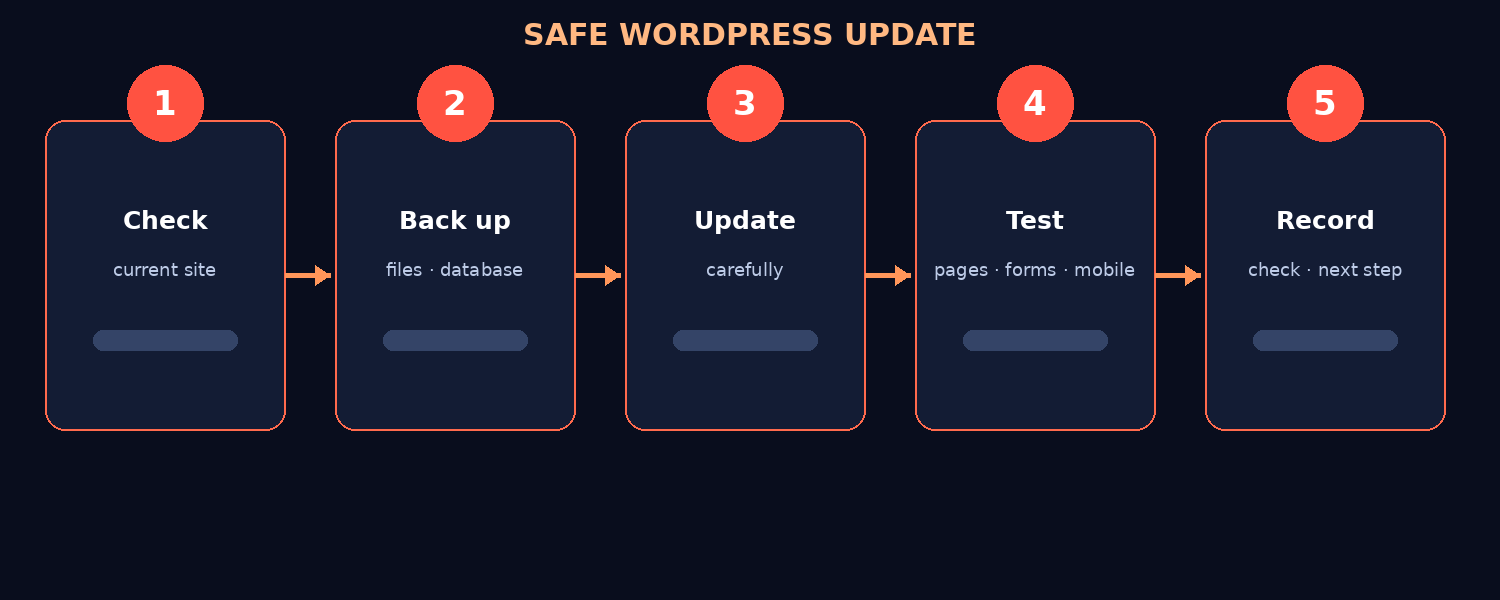
Staging-First Update Workflow
See the exact 4-step staging, backup, regression check, and live sync cycle I use to protect small business websites from plugin conflicts.
Reliable WordPress Support for USA, UK, UAE, and India Businesses
Website problems rarely wait for Monday morning. Because I work remotely from India with overlapping hours across UK afternoons (GMT/BST), UAE business hours (GST), and US mornings/late afternoons (EST/PST), routine plugin updates can be scheduled during your quietest local traffic window while urgent support questions get a direct reply within 1 to 2 hours.
Compare regional maintenance workflows on my dedicated pages for WordPress maintenance for US small businesses, UK WordPress maintenance packages, and my practical guide on what a WordPress care plan covers.

Built and Supported Personally by Swapnil Patil
I run Swap Design remotely from India and handle every call, Figma wireframe, WordPress template, and care-plan update myself. You never get passed to an account manager or junior subcontractor.
Read more about how I work →Frequently Asked Questions About Website Maintenance Packages
Direct answers to the scope, timeline, ownership, and technical questions clients ask most on first calls: