Last updated: 22 November 2026
By Swapnil Patil, remote WordPress & PHP developer
You paste Content-Signal: ai-train=yes, search=yes, ai-input=yes into Rank Math’s robots.txt editor, click Save, and get stopped cold by a red validation notice: 1 unknown rules found. Almost every WordPress client running Rank Math or Yoast hits this exact blocker when configuring robots.txt content-signal gptbot permissions for 2026 AI discovery checks. Rank Math strips or blocks the line, leaving Check #04 red even when /robots.txt returns HTTP 200 OK. Before touching wp-admin settings, verify your live robots.txt and Content-Signal headers in 5 seconds on our scanner.
Direct Answer: How to Fix Content-Signal & GPTBot in WordPress robots.txt
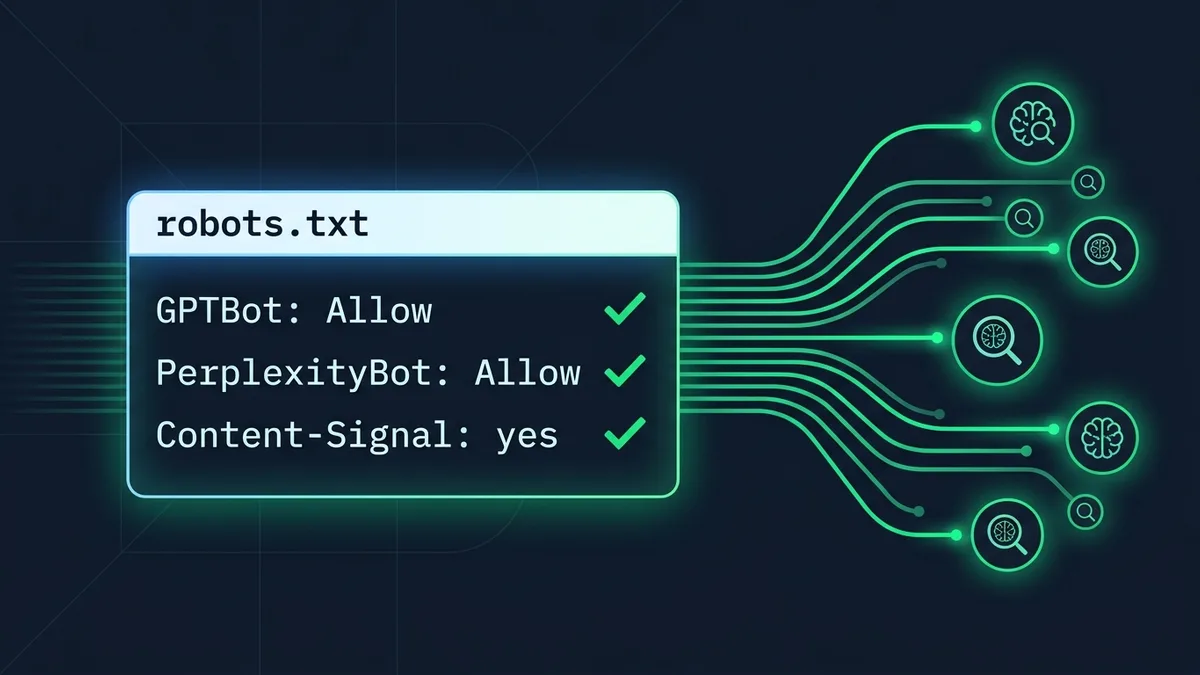
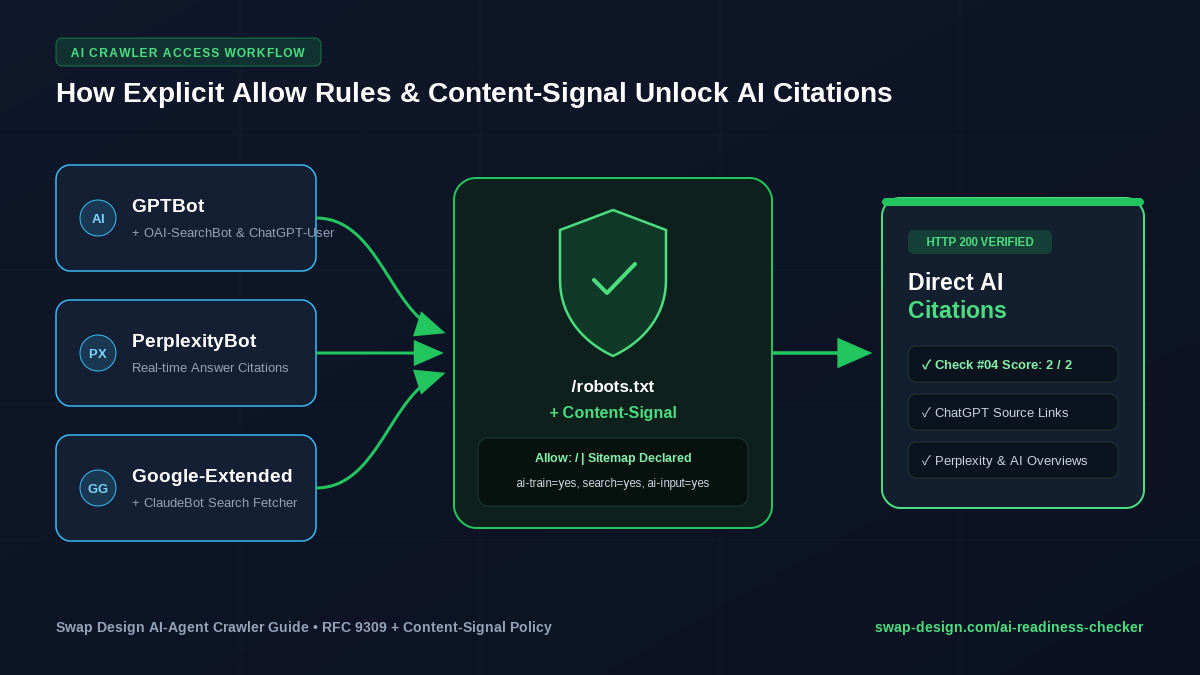
AI search crawlers (GPTBot, OAI-SearchBot, PerplexityBot, ClaudeBot, Google-Extended) need explicit Allow: / rules plus Content-Signal: ai-train=yes, search=yes, ai-input=yes in /robots.txt to pass AI-agent readiness checks. Rank Math’s virtual editor rejects this line under older validation, so upload a physical robots.txt file or filter robots_txt via WPCode PHP.
2026 AI Crawler Policy Reference Table (Training vs. Live Citations)
Traditional User-agent: * lines tell bots which folders to skip, but they do not distinguish between bulk model training and real-time buyer searches. According to OpenAI’s official bot documentation and Google Search Central’s robots.txt specification, search fetchers and AI training scrapers use separate User-Agent strings.
Use the matrix below to match each 2026 crawler to what it controls and the exact robots.txt rule required for Check #04:
| AI Crawler User-Agent | Owner | What It Controls | Recommended robots.txt Rule |
|---|---|---|---|
GPTBot |
OpenAI | Foundation model pre-training and dataset ingestion for future GPT releases. | User-agent: GPTBotAllow: / |
OAI-SearchBot |
OpenAI | ChatGPT Search index discovery and clickable domain citations inside answers. | User-agent: OAI-SearchBotAllow: / |
ChatGPT-User |
OpenAI | Real-time, user-triggered browser lookups when a user asks ChatGPT to check a live URL or pricing page. | User-agent: ChatGPT-UserAllow: / |
PerplexityBot |
Perplexity AI | Indexing pages and extracting direct answer snippets and source links for Perplexity Search. | User-agent: PerplexityBotAllow: / |
ClaudeBot |
Anthropic | Web indexing and retrieval fetching used for Claude answers and connected search queries. | User-agent: ClaudeBotAllow: / |
Google-Extended |
Standalone token controlling Gemini grounded answers and AI Mode usage without blocking Google Search web indexing. | User-agent: Google-ExtendedAllow: / |
Step 1: Copy-Paste 2026 AI-Ready WordPress robots.txt Template
Every AI-agent readiness scanner parses two layers in /robots.txt: explicit User-Agent permission blocks (never disallowing / globally) and a machine-readable Content-Signal preference line declaring permissions for ai-train, search, and ai-input.
Copy this production-ready template, replacing yourdomain.com with your live domain name:
User-agent: *
Allow: /
Disallow: /wp-admin/
Disallow: /wp-includes/
Allow: /wp-admin/admin-ajax.php
Content-Signal: ai-train=yes, search=yes, ai-input=yes

User-agent: GPTBot
Allow: /

User-agent: OAI-SearchBot
Allow: /

User-agent: ChatGPT-User
Allow: /

User-agent: PerplexityBot
Allow: /

User-agent: ClaudeBot
Allow: /

User-agent: Google-Extended
Allow: /

Sitemap: https://yourdomain.com/sitemap_index.xml
If your WordPress site runs Rank Math, your sitemap path is typically /sitemap_index.xml. Custom PHP sites and standalone XML setups usually use /sitemap.xml. Verify which sitemap URL returns HTTP 200 before saving.
Why Rank Math Throws “1 unknown rules found” on Content-Signal
Rank Math stores its virtual robots.txt rules inside WordPress database options and runs a built-in syntax checker before allowing edits to save. That parser validates strictly against IETF RFC 9309 Robots Exclusion Protocol directives (User-agent, Allow, Disallow, Crawl-delay, and Sitemap).
Because Content-Signal: is a newer 2025/2026 AI preference header popularized alongside automated agent crawlers and Cloudflare edge rules, Rank Math flags it as unrecognized syntax and throws 1 unknown rules found. Yoast SEO’s file editor behaves similarly unless bypassed at the filesystem or PHP filter level.
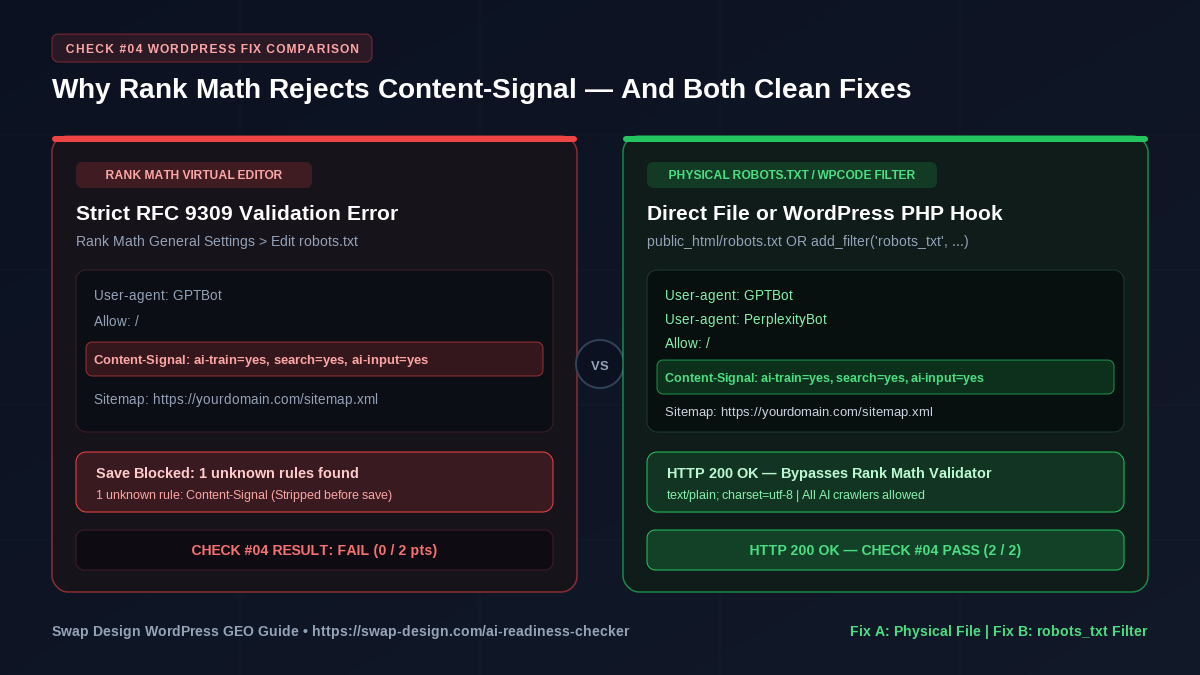
Step 2 (Fix A — Recommended): Upload Physical public_html/robots.txt
By rule, Apache, LiteSpeed, and Nginx always serve a real physical file on disk before WordPress ever runs PHP. Uploading a physical robots.txt file completely bypasses Rank Math’s virtual database rules and eliminates PHP boot overhead on every bot hit.
- Log into cPanel File Manager, Hostinger hPanel File Manager, or SFTP and open your WordPress root directory (
public_html, the same folder containingwp-config.php). - Click New File, name it exactly
robots.txt(all lowercase), and paste the complete 2026 AI-ready template from Step 1. - Check file permissions and set
robots.txttochmod 644so Apache/LiteSpeed can read it without throwing a403permission denial. - Verify no conflicting Cloudflare "AI Scrapers and Crawlers" or Wordfence bot-block rule overwrites the response before requests reach your origin server.
One detail catches developers off guard: once a physical public_html/robots.txt file exists, Rank Math greys out its virtual editor inside wp-admin. That is expected behavior because WordPress is no longer generating the file dynamically.
Step 3 (Fix B — No cPanel Needed): Inject Content-Signal via WPCode PHP Filter
If your agency only gave you wp-admin access without cPanel or SFTP, and no physical robots.txt sits in public_html yet, WordPress exposes the native robots_txt PHP filter right before output. You can hook into that filter safely using the free WPCode (or Code Snippets) plugin:
/**
 * Inject 2026 AI Crawler Allow rules and Content-Signal directive
 * into WordPress virtual robots.txt (bypasses Rank Math UI validator).
 * Priority 999 ensures this runs after Rank Math / Yoast callbacks.
 */
add_filter( 'robots_txt', function ( $output, $public ) {
    if ( ! $public ) {
        return $output;
    }

    $ai_rules  = "\n# AI-Agent Discovery & Search Rules\n";
    $ai_rules .= "Content-Signal: ai-train=yes, search=yes, ai-input=yes\n\n";
    $ai_rules .= "User-agent: GPTBot\nAllow: /\n\n";
    $ai_rules .= "User-agent: OAI-SearchBot\nAllow: /\n\n";
    $ai_rules .= "User-agent: ChatGPT-User\nAllow: /\n\n";
    $ai_rules .= "User-agent: PerplexityBot\nAllow: /\n\n";
    $ai_rules .= "User-agent: ClaudeBot\nAllow: /\n\n";
    $ai_rules .= "User-agent: Google-Extended\nAllow: /\n";

    return $output . $ai_rules;
}, 999, 2 );
Inside WPCode, set Code Type to PHP Snippet, Location to Run Everywhere, activate the snippet, and purge your page cache plugin (LiteSpeed Cache, WP Rocket, or Cloudflare). Using priority 999 ensures our directives append cleanly after Rank Math finishes adding your Sitemap: line.
Step 4: Purge Cache, Test in Incognito & Verify With curl
WordPress caching plugins and CDN proxies frequently cache /robots.txt for hours. Clear LiteSpeed Cache / WP Rocket and Cloudflare edge cache first, then inspect https://yourdomain.com/robots.txt in a fresh incognito browser window or run this one-line terminal check:
curl -i -sS https://yourdomain.com/robots.txt | head -n 45Confirm three specific outputs before running your domain scan:
- Status Line: Returns
HTTP/2 200(not301or404) withcontent-type: text/plain. - No Blanket AI Disallow: Zero
Disallow: /lines underGPTBot,OAI-SearchBot, orPerplexityBot. - Clean Content-Signal Line: Your exact
Content-Signal:string renders near the top or bottom without HTML wrapper tags.
Real-World Benchmark: How Check #04 Helped Push techhubinsight.com to 10/10
When we audited our live WordPress + Elementor technology publication TechHub Insight (techhubinsight.com), fixing Check #01 and Check #02 alone still left the domain below a full score because its default virtual robots.txt lacked Content-Signal and explicit search-bot blocks.
Replacing the virtual output with an explicit AI crawler policy pushed Check #04 from FAIL to 2/2 PASS in seconds. Paired with an accessible MCP Server Card (learn how to fix /.well-known/mcp/server-card.json 403/404 errors in WordPress), /llms.txt, Markdown negotiation, and connected JSON-LD, techhubinsight.com hit a verified 10/10 score across all 5 checks in 1,533 ms. To inspect all five checkpoints together, see all 5 technical reasons ChatGPT and Perplexity skip business websites or copy our complete GEO & AI-Agent Readiness production blueprint.
Run Your Live robots.txt Check or Book a 48-Hour Fix
Test your URL right now to verify your live robots.txt and Content-Signal headers in 5 seconds and see your exact score across all five AI-agent checkpoints.
If Cloudflare, Rank Math, or hosting security rules keep rewriting your bot policy, book our 48-hour done-for-you Agentic SEO implementation directly with senior developer Swapnil Patil:
- 5-Page Service Website + Full AI-Agent Readiness: $450 – $1,100 USD (5 to 7 business days, including clean
robots.txtpolicy,llms.txt, Markdown negotiation, and connected Schema). - Full Small Business Build + WebMCP & SEP-1649 Setup: $1,200 – $2,500 USD (2 to 3 weeks, complete custom WordPress or PHP build, Core Web Vitals speed tuning, WebMCP browser tools, and SEP-1649 server card).
- Monthly Care, Security, Backups & GEO Monitoring: $120 – $250 / mo (weekly staging updates, daily offsite cloud backups, and live AI crawler audits).
All projects are billed in USD via Wire Transfer or PayPal with daily Morning EST/CST & Late PST overlap hours.